

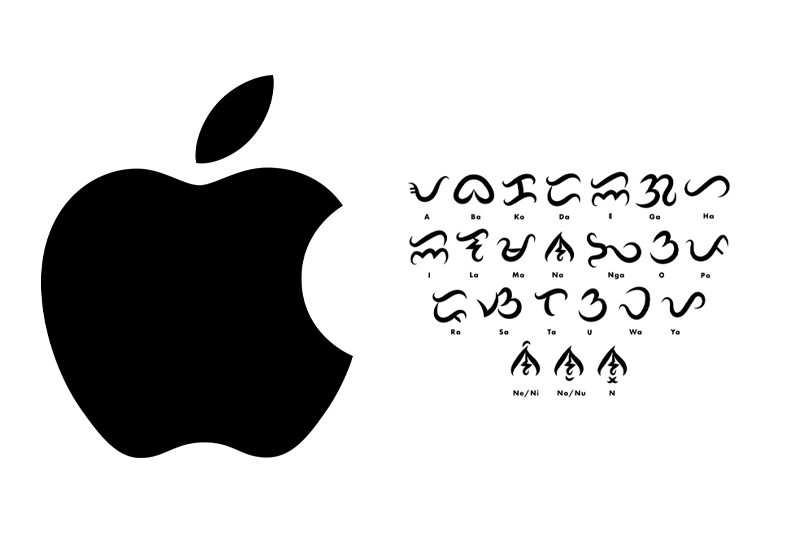
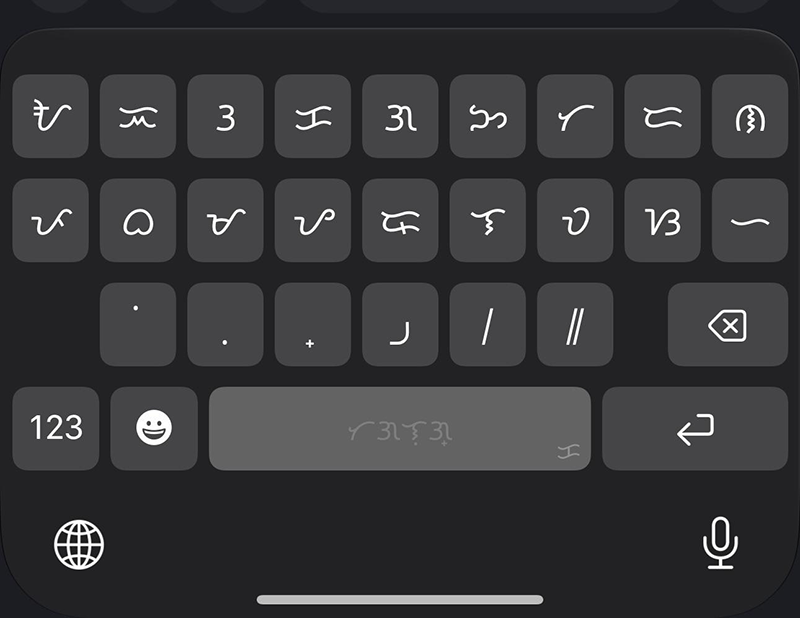
Apple has taken a significant step toward preserving indigenous writing systems with the introduction of a native Baybayin keyboard in iOS 27. The update allows iPhone users to type using the traditional Philippine script without relying on third-party apps or custom keyboard solutions.
The addition of Baybayin support highlights Apple’s growing commitment to language diversity and cultural preservation, giving millions of Filipinos and language enthusiasts easier access to one of the country’s most important historical writing systems.
What Is Baybayin?
Baybayin is an ancient Philippine script used before Spanish colonization. It belongs to the Brahmic family of writing systems and was widely used across various regions of the Philippines for communication, literature, and documentation.
Although the Latin alphabet eventually became dominant, Baybayin has experienced a resurgence in recent years through educational initiatives, cultural movements, tattoos, art, and digital media.
With iOS 27, Apple is helping bring Baybayin into the modern digital age.
How to Enable the Baybayin Keyboard on iPhone
If your iPhone is running iOS 27, enabling the Baybayin keyboard is straightforward.
Step 1: Open Settings
Launch the Settings app on your iPhone.
Step 2: Navigate to Keyboard Settings
Go to:
General → Keyboard → Keyboards
Step 3: Add a New Keyboard
Tap Add New Keyboard.
Step 4: Select Baybayin
Scroll through the available languages and keyboards until you find Baybayin.
Tap it to add the keyboard to your device.
Step 5: Start Typing in Baybayin
Open any app that supports text input, such as Messages, Notes, Mail, or social media platforms.
Tap the globe icon on the keyboard to switch between languages and select Baybayin.
You can now type using the native script directly from your iPhone.
Why Native Baybayin Support Matters
The addition of Baybayin to iOS 27 is more than just a new keyboard option. It represents a meaningful effort to support cultural heritage and digital inclusivity.
Preserving Filipino Culture
Native keyboard support makes it easier for younger generations to learn and use Baybayin in everyday digital communication.
Improved Accessibility
Users no longer need to download third-party keyboards, making Baybayin more accessible and secure.
Educational Benefits
Students, teachers, historians, and cultural advocates can now create educational content using Baybayin directly on iPhones and iPads.
Wider Adoption
As one of the world’s most popular smartphone platforms, Apple’s support may encourage broader use of Baybayin across social media, messaging apps, and online communities.
Which iPhones Support the Baybayin Keyboard?
The Baybayin keyboard is available on devices compatible with iOS 27. Most recent iPhone models that receive the iOS 27 update should have access to the feature.
Users can check availability by updating to the latest version of iOS through:
Settings → General → Software Update
Baybayin Joins Apple’s Expanding Language Support
Apple has steadily expanded language and script support across its ecosystem. The addition of Baybayin places the traditional Filipino script alongside numerous global writing systems already available on iPhone, iPad, and Mac devices.
This move demonstrates the company’s ongoing effort to make technology more inclusive while helping preserve important cultural identities around the world.
Final Thoughts
The arrival of a native Baybayin keyboard in iOS 27 is a milestone for Filipino culture and digital communication. By making the historic script readily available on millions of iPhones, Apple is helping ensure that Baybayin remains relevant for future generations.
Whether you’re a student, educator, cultural advocate, or simply curious about Philippine history, the new Baybayin keyboard offers an easy and accessible way to explore and use one of the nation’s most treasured writing systems.
Join the conversation
DisqusComments are powered by Disqus and are not stored in the SpillPH WordPress database.